
Delegate the busywork.Ever does the clicking.
Describe a task in plain English. Ever plans, clicks, types, and navigates across the sites you already use — with your real logins, while you do something else.
Prefer the terminal? Get the native Ever release →
Hand it a task,
get it back done.
Describe the task
Plain English, in the side panel or the terminal. No selectors, no scripts, no setup.
Ever does the work
It clicks, types, and navigates in your browser — with your real logins and sessions.
You stay in control
Watch it live, step in anytime, and review a full audit trail of every action.
Built for real work
Not a demo toy — an agent that holds up on the messy, logged-in web.
Works behind your logins
Any website or internal tool. Ever drives your actual browser session, so SSO, 2FA, and access controls all just work.
Reads pages like a person
Cluttered dashboards, internal tools, pop-ups — Ever works out what each button actually does and clicks the right one, even when the layout changes.
- Opened portal
- Filled form
- Tab crashed
- Resumed
- Done
Never loses the thread
Every action is checkpointed. If the tab crashes mid-task, Ever resumes where it left off — with a full audit trail.
$ever run "reconcile this week's orders"
✓ done — report saved
Extension or command line
Run it from the Chrome side panel, or script it headlessly with the Ever CLI and drive it from Claude or Codex over MCP.
See it run
Real tasks, start to finish — in the side panel and from the terminal.
Chrome side panel
Watch the walkthrough (1:02)
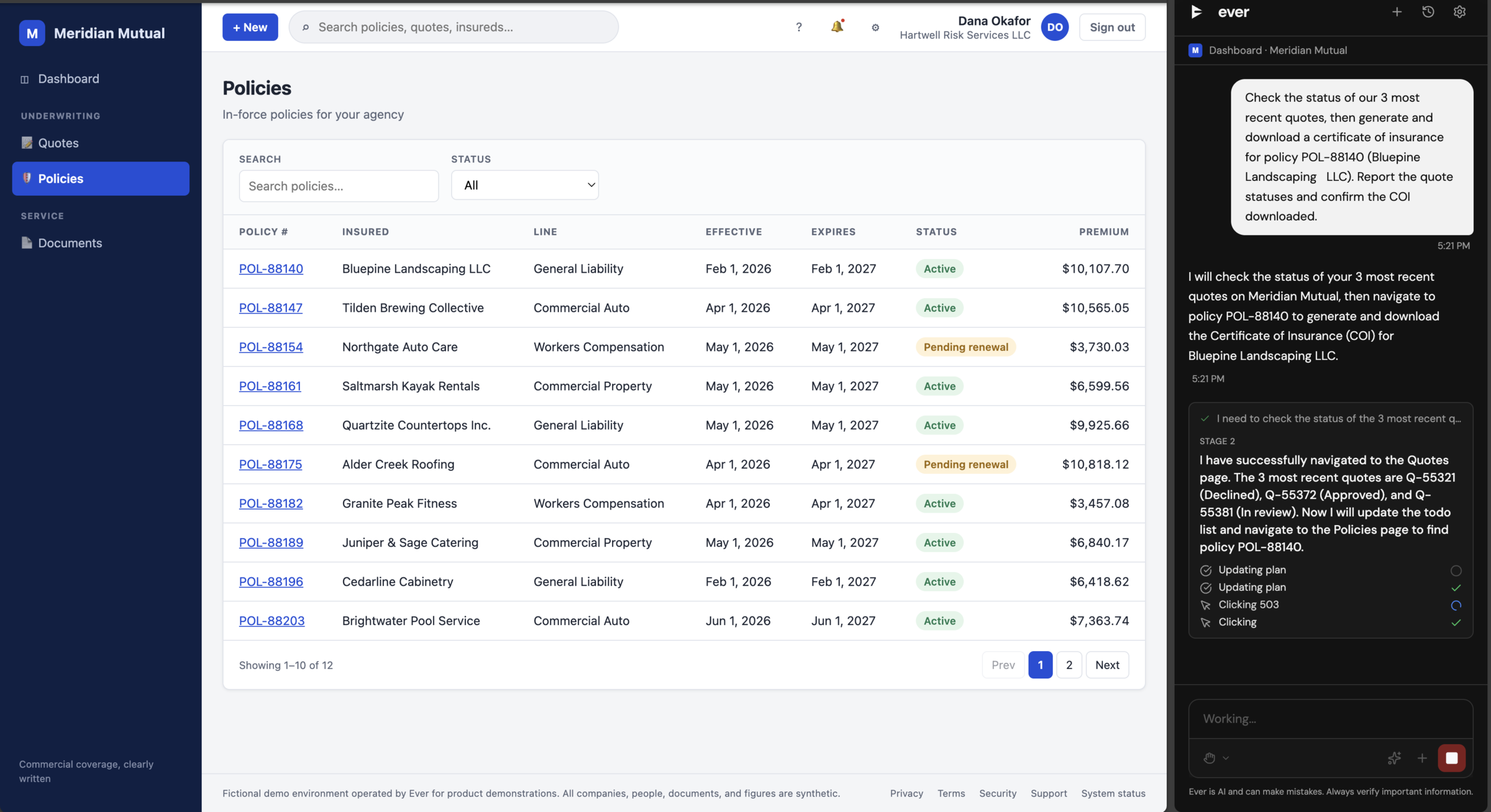
Check quotes, then issue a certificate
Ever reviews the 3 latest quotes, then generates and downloads a certificate of insurance for the right policy.
Read transcript
Ever opens the insurance portal in the Chrome side panel and reads the list of recent quotes. It reviews the three latest quotes and identifies the right policy for the request. Ever then navigates to the certificates section, fills in the policy details, generates a certificate of insurance, and downloads the finished PDF.
Your next task is one sentence away.
Install Ever and describe your first task in plain English.